
Anúncios
Streaming your favorite shows, movies, and live channels becomes effortless once you understand how the Amazon Fire TV app actually works on your devices.
The Amazon Fire TV app transforms your smartphone or tablet into a full-featured remote control, content browser, and voice assistant for your Fire TV device. It’s a free tool that bridges the gap between casual scrolling and seamless entertainment.
Whether you’re setting up a new Fire TV Stick or looking to maximize features you didn’t know existed, this guide covers everything from installation to advanced troubleshooting tips.
What the Fire TV App Actually Does#
Many users download this app expecting basic remote functionality, but it offers considerably more. Beyond navigation, it includes voice search, keyboard input for faster typing, and direct access to your watchlist.

The app connects to your Fire TV device through your home Wi-Fi network, eliminating the need for line-of-sight infrared signals that traditional remotes require.
- Voice search: Speak movie titles, actor names, or genres instead of typing
- Virtual remote: Full directional pad, playback controls, and volume adjustment
- Text input: Type passwords and search terms using your phone’s keyboard
- Multi-device management: Control several Fire TV units from one app
Setting Up the App on Your Device#
Installation takes less than five minutes if your Fire TV and smartphone share the same network. Here’s the exact process:
Step-by-Step Installation Guide#
- Download the app from Google Play Store or Apple App Store
- Open the app and grant local network permissions when prompted
- Wait for automatic device discovery (usually 10-15 seconds)
- Select your Fire TV device from the list that appears
- Confirm the pairing code displayed on your TV screen
If automatic discovery fails, manually enter your Fire TV’s IP address, which you can find under Settings > My Fire TV > About > Network.
Common Connection Issues and Fixes#
Connection problems usually stem from network configuration rather than app bugs. Router settings that isolate devices on separate network bands often cause the most frustration.
| Problem | Likely Cause | Solution |
|---|---|---|
| Device not found | Different Wi-Fi bands (2.4GHz vs 5GHz) | Connect both devices to same band |
| Pairing code mismatch | Multiple Fire TV devices nearby | Restart app and select correct device |
| Laggy remote response | Weak Wi-Fi signal | Move closer to router or use mesh extender |
| App crashes on launch | Outdated app version | Update through app store |
Advanced Features Most Users Miss#
Beyond basic remote control, the app hides several productivity boosters that experienced users rely on daily. 🎯
Voice Commands That Actually Save Time#
Instead of navigating through menus, try phrases like “show me comedies from the 90s” or “play something with Tom Hanks.” The voice recognition handles natural language surprisingly well, even with regional accents.
You can also use commands for system actions: “go home,” “launch Netflix,” or “turn off” all work without touching the physical remote.
Customizing Your Control Experience#
The app’s settings menu allows you to rearrange button layouts and enable haptic feedback for button presses. This matters more than it sounds—users who customize their layout report fewer navigation errors during daily use.
- Button remapping: Swap less-used buttons for frequently accessed functions
- Gesture controls: Swipe patterns for fast-forward and rewind
- Multi-user profiles: Switch between family member accounts instantly
Setting up multiple Fire TV devices across different rooms becomes manageable once you explore the app’s device-switching panel, located in the top navigation bar.

Amazon Fire TV
Installs50M+
Size105.2MB
PlatformAndroid/iOS
PriceFree
Information about size, installs, and rating may change as the app is updated in the official stores.
Comparing the App to a Physical Remote#
Many households keep both options active, but each has distinct advantages depending on the situation. Understanding when to use which tool improves your overall experience.
| Feature | Fire TV App | Physical Remote |
|---|---|---|
| Voice search | Yes, with keyboard backup | Yes, button-activated |
| Text input speed | Fast (full keyboard) | Slow (on-screen keyboard) |
| Battery dependency | Uses phone battery | Requires AA batteries |
| Range limitations | Works anywhere on Wi-Fi | Limited to room proximity |
| Lost item risk | Always with your phone | Easy to misplace |
The app wins decisively for typing passwords or search queries, while the physical remote remains faster for quick channel changes or volume adjustments during active viewing.
Troubleshooting Performance Problems#
Occasional lag or disconnection issues frustrate even experienced users. Most problems trace back to three root causes: network congestion, outdated firmware, or app cache buildup.
Clearing Cache and Resetting Connections#
If the app feels sluggish, clearing its cache often resolves the issue faster than reinstalling. On Android, navigate to Settings > Apps > Fire TV > Storage > Clear Cache. iOS users should simply delete and reinstall the app, since iOS doesn’t offer granular cache control.
Restarting your router resolves roughly 70% of persistent connectivity complaints, according to community forums and Amazon support threads. It’s worth trying before assuming the app itself is broken.
Firmware Updates and Compatibility#
Fire TV devices receive periodic firmware updates that sometimes change how the app communicates with your hardware. Keeping both your Fire TV firmware and the companion app updated prevents most compatibility headaches.
- Check firmware version: Settings > My Fire TV > About
- Enable automatic updates to avoid manual checking
- Restart your Fire TV device after major firmware updates
Security Considerations Worth Knowing#
Since the app controls a device connected to your home network, understanding its permission requests matters. The app requests local network access, which is necessary for device discovery, but it doesn’t require access to your contacts, camera, or location data.
Amazon’s privacy documentation confirms that voice commands processed through the app follow the same data handling practices as the physical Alexa-enabled remote, meaning recordings are stored temporarily and can be deleted through your Amazon account settings.
If privacy is a priority, you can disable voice history collection directly through Amazon.com > Alexa Privacy Settings, independent of the app itself.
Making the Most of Multi-Room Setups#
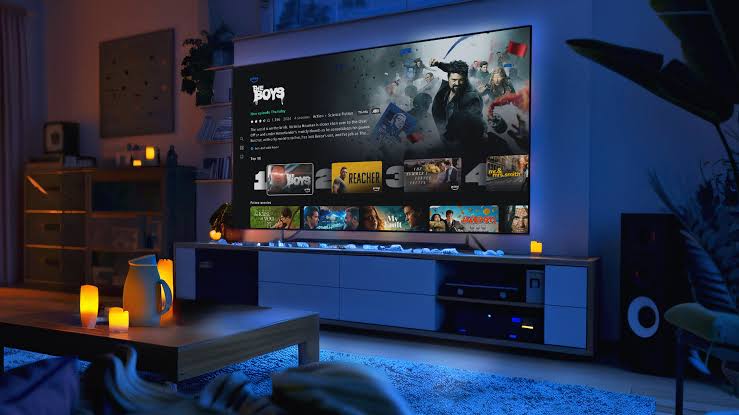
Households with multiple Fire TV devices—one in the living room, another in the bedroom—benefit significantly from this app’s device-switching capability. 📱
Rather than juggling separate physical remotes for each room, the app remembers paired devices and lets you switch control with a single tap. This proves particularly useful in homes where family members stream different content simultaneously.
Setting distinct names for each device during initial pairing (like “Living Room Fire TV” instead of a generic default name) prevents confusion when switching between multiple units.
For anyone managing a smart home with several streaming points, this single app eliminates the clutter of multiple remotes scattered across end tables and couch cushions, replacing them with one consistent, portable control center you already carry everywhere.

Keep reading
You might also like
Best Apps to Improve Your 5G Network Speed
Slow downloads and dropped bars during a supposed 5G connection are more common than most users realize — but the right app…

Best Literacy Apps for Adults Over 40 Years Old
Learning to read later in life takes courage, patience, and the right tools — and a dedicated literacy app can make that…