
Anúncios
Plant identification apps have transformed how people care for greenery, turning guesswork into confident, science-backed decisions for every leaf and bloom. 🌿
Anyone who has ever bought a mystery succulent at a market or inherited a houseplant from a friend knows the frustration of not knowing exactly what it needs. A plant identification app solves that problem in seconds, using your phone’s camera instead of flipping through gardening books.
These tools combine image recognition, botanical databases, and personalized care reminders into one simple interface. The result is a smarter, less stressful way to keep your indoor jungle or backyard garden thriving.
How Plant Identification Technology Actually Works#
Most plant identification apps rely on convolutional neural networks trained on millions of labeled photos. When you snap a picture of a leaf, flower, or stem, the algorithm compares visual patterns like shape, vein structure, and color distribution against its database.


Some apps, like PictureThis, claim accuracy rates above 90% for common species. Others, such as PlantNet, rely partly on crowdsourced data from botanists and citizen scientists, which improves regional accuracy for less common plants.
The technology doesn’t stop at naming the plant. Many apps cross-reference the identification with a care database, instantly suggesting watering schedules, light requirements, and soil preferences based on the species detected.
What Makes a Scan Accurate or Inaccurate#
Photo quality matters more than people expect. A blurry or poorly lit image can confuse even the best algorithm. Here are factors that affect scan accuracy:
- Lighting: Natural daylight produces sharper, more identifiable details than artificial indoor lighting.
- Angle: Capturing the whole leaf or flower from above, rather than a partial close-up, improves match rates.
- Background clutter: A plain background helps the AI isolate the plant’s features.
- Growth stage: Seedlings and young plants are harder to identify than mature specimens with full leaves or blooms.
Comparing the Most Popular Plant Care Apps#
Not all apps serve the same purpose. Some focus purely on identification, while others double as full plant-care management systems with reminders and disease diagnosis.
| App | Main Strength | Free Version Limits | Best For |
|---|---|---|---|
| PictureThis | Fast, accurate identification with disease detection | Limited scans per day | Beginners wanting quick answers |
| PlantNet | Community-verified, open-source database | Unlimited, ad-supported | Nature enthusiasts and researchers |
| Planta | Detailed watering and light schedules | Basic identification only | Houseplant collectors |
| Blossom | Visual care calendar with notifications | Few plants tracked for free | Busy plant owners |
Choosing the right app often depends on whether you want a quick ID or a long-term care companion. Many users end up using two apps together — one for identification, another for daily reminders.
Everyday Problems These Apps Actually Solve#
Beyond simple curiosity, plant identification apps address real gardening frustrations that used to require professional consultation.
Diagnosing Yellow Leaves and Brown Spots#
Yellowing leaves can mean overwatering, nutrient deficiency, or pest infestation — and each cause requires a different fix. Apps like PictureThis include a diagnostic feature where you photograph the affected area, and the AI suggests likely causes along with treatment steps.
This feature alone can save a plant that might otherwise die from a misdiagnosed problem. Instead of guessing whether it’s root rot or sunburn, you get a probability-ranked list of explanations.
Avoiding Toxic Plants Around Pets and Children#
Many popular houseplants, including pothos, philodendron, and certain lilies, are toxic if ingested. Identification apps often flag toxicity warnings automatically once a plant is recognized, which is particularly useful for new pet owners or parents setting up a nursery.
Creating a Personalized Watering Schedule#
Generic advice like “water once a week” ignores humidity, pot size, and sunlight exposure. Smarter apps calculate a custom schedule based on your location’s climate data pulled from your phone’s GPS, adjusting automatically as seasons change.
If you’ve ever owned a fiddle leaf fig and wondered why it kept drooping despite following “standard” care tips, this kind of localized precision explains the difference between generic advice and what your specific plant actually needs.

PictureThis - Plant Identifier
Installs50M+
Size248.3MB
PlatformAndroid/iOS
PriceFree
Information about size, installs, and rating may change as the app is updated in the official stores.
Building a Daily Routine With Plant Care Apps#
The real value of these apps shows up over weeks and months, not just in the initial scan. Setting up a consistent routine turns an app from a novelty into an actual gardening assistant.
Step-by-Step Setup for New Users#
- Photograph every plant you own during initial setup, even ones you already know, to build a complete digital garden profile.
- Enable push notifications for watering and fertilizing reminders instead of relying on memory.
- Log growth photos monthly so the app — and you — can track progress or spot early warning signs.
- Cross-check unfamiliar diagnoses with a second source, especially for rare diseases or pest identification.
Users who follow this kind of structured approach report fewer plant losses within the first three months compared to those who only use the app for occasional identification.
Common Mistakes That Reduce App Effectiveness#
Even with good technology, user habits can undermine results. Skipping seasonal adjustments is one frequent issue — a care schedule set in summer rarely fits winter dormancy periods, when most plants need significantly less water.
Another mistake is ignoring humidity settings. Tropical plants like calatheas and ferns often fail indoors not because of watering errors, but due to dry air that apps can flag if you input your home’s conditions accurately.
Free vs Paid Features: What’s Really Worth Paying For#
Most plant apps follow a freemium model, and understanding the difference helps you decide if a subscription is worth it.
- Free tiers typically include basic identification, limited daily scans, and generic care tips.
- Paid tiers usually unlock unlimited scans, detailed disease diagnosis, personalized watering calendars, and premium plant communities for expert advice.
For casual users who identify a handful of plants per month, the free version is often enough. For serious collectors managing dozens of species, the paid subscription — typically between $3 and $8 monthly — quickly pays for itself by preventing plant losses that would cost more to replace.
What’s Next for Plant Identification Technology#
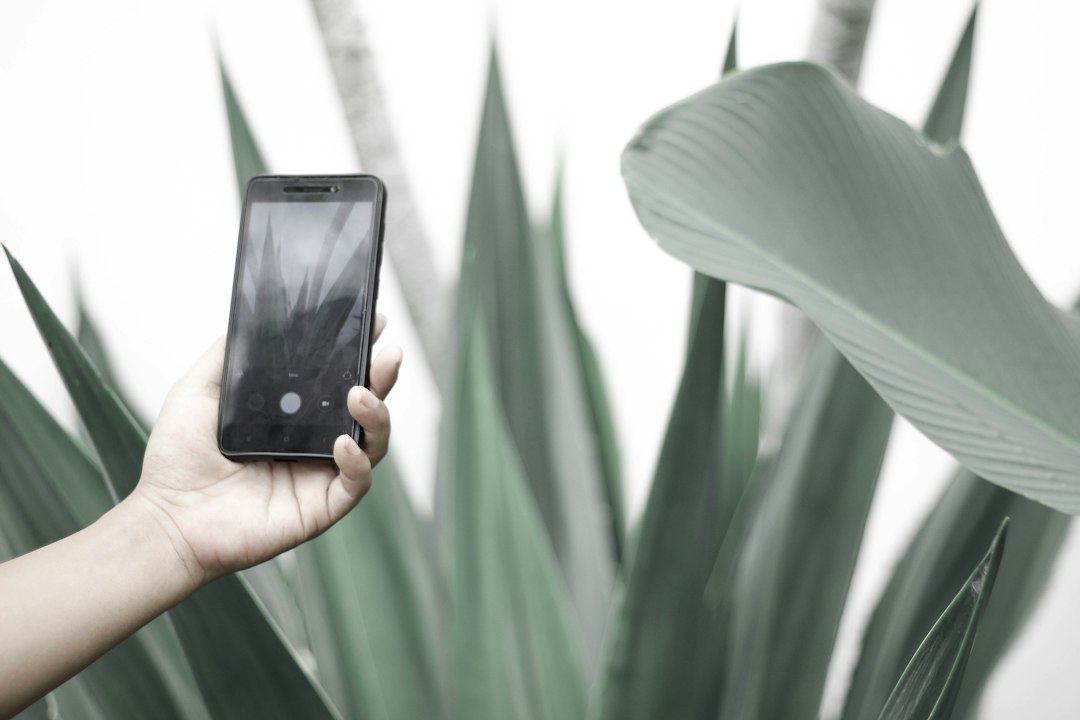
Augmented reality is starting to merge with plant care apps, allowing users to point their camera at a garden bed and see overlay information about every plant in view simultaneously, rather than scanning one at a time.
Some developers are also integrating soil sensor compatibility, where a physical probe connects via Bluetooth to feed real-time moisture and nutrient data directly into the app, replacing guesswork entirely with measurable data.
As these tools mature, the gap between professional horticulturists and home gardeners keeps narrowing. A smartphone camera, paired with the right app, now offers diagnostic capability that would have required a university botany department just a decade ago.
Whether you’re nursing a single windowsill herb or managing a backyard full of native species, identification apps have become less of a gadget and more of an essential gardening tool — one scan at a time. 🌱

Keep reading
You might also like

Best Apps to Improve Your 5G Network Speed
Slow downloads and dropped bars during a supposed 5G connection are more common than most users realize — but the right app…

Best Literacy Apps for Adults Over 40 Years Old
Learning to read later in life takes courage, patience, and the right tools — and a dedicated literacy app can make that…